
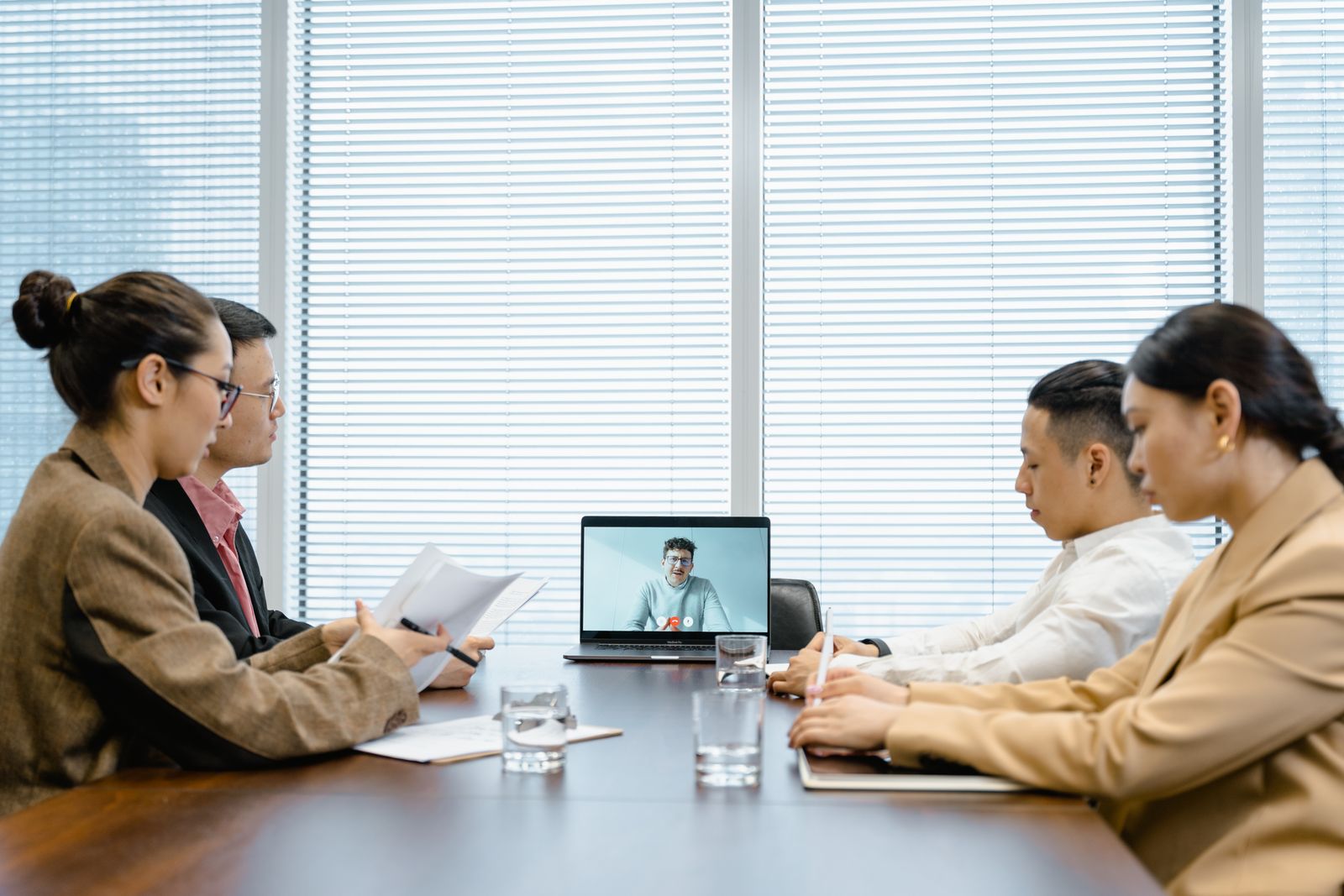
Conference Room Tech for Central Florida Small Business: Video Meetings That Actually Work
Every office has the same five minutes. The client is on the call, three people are hunched around one laptop, somebody is holding a phone up ...
Every office has the same five minutes. The client is on the call, three people are hunched around one laptop, somebody is holding a phone up like a microphone, and the first ten sentences are all versions of “can you hear me now?” It looks unprofessional because it is unprofessional, and the worst part is that the fix is not expensive. Most conference rooms fail for boring reasons: the wrong microphone, a display nobody can read, and a Wi-Fi signal that drops the second the room fills up with people.
A meeting room that works is one of the cheapest credibility upgrades a small company can buy. It makes remote hiring realistic, it makes client presentations land, and it saves the fifteen minutes of fumbling that happens at the start of every single call. At Think Tech Support we help businesses across Orlando, Lake County, Clermont, Mount Dora, Eustis, Tavares, Winter Garden, and Apopka turn ordinary rooms into meeting spaces that just work. Here is what actually matters, in the order it matters.
1. Start With the Room, Not the Gadgets
Before you shop, look at the space. How many people sit at the table on a busy day? Where does the natural light come from? A conference room with a big window behind the speakers will turn everyone into a silhouette no matter how good the camera is, so plan to seat people facing the window or add blinds. Hard surfaces matter too: glass walls, tile floors, and bare drywall bounce sound around and make voices echo on the far end of the call. A rug, fabric chairs, or a few acoustic panels do more for meeting quality than an expensive camera ever will.
2. One Camera and One Microphone Beat Four Laptops
The single biggest upgrade is getting everyone off their individual laptops and onto one shared system. When four people in the same room all join the same meeting, their microphones fight each other and create that awful howling feedback, so everybody mutes, and then nobody can be heard. Put one wide-angle conference camera at the display, connect one good speakerphone or ceiling microphone, and have everyone else join with audio off. Your remote people get one clean audio feed instead of four echoing ones, and the room stops sounding like a wind tunnel.
3. Audio Is What People Actually Judge You On
Viewers forgive a slightly grainy picture. They do not forgive audio they have to strain through. A cheap webcam microphone picks up the air handler, the hallway, and the person tapping a pen, then compresses your voice into something tinny. For a room seating six to eight, a quality USB speakerphone in the center of the table is usually enough. For a longer table or a room over about twelve feet, you want a microphone array or ceiling mics so the person at the far end is not shouting toward the middle. Spend your money here first. It is the difference between a client leaning in and a client checking email.
4. Size the Display for the Back of the Room
The common mistake is buying a display sized for a living room. A useful rule: the screen diagonal in inches should be roughly the distance in feet from the screen to the farthest chair, times four to six. If your back seat is twelve feet away, you want something in the 55 to 75 inch range, not a 43 inch panel. Mount it so the center of the screen sits near seated eye level, which is lower than most installers put it, and make sure the camera is right above or below the display so people appear to be looking at the room rather than off into space. If you are sharing spreadsheets or plans, a second display is often cheaper and more useful than upgrading to a bigger single one.
5. Run a Cable to That Room
Wi-Fi is fine for a laptop answering email. It is a bad foundation for a room that streams high definition video both directions while eight phones in the same space compete for the same access point. Video calls are unforgiving about jitter, and jitter is exactly what a crowded wireless channel produces. Running a proper Ethernet drop to the conference room is a small job that removes an entire category of problems, and it lets you power a camera or an access point over the same cable. If your building is a maze of old cable, our guide to structured network cabling covers how to do it once and do it right.
6. Make Joining a Meeting a One Button Job
If starting a meeting requires knowing which input the TV is on, which cable is the working one, and whose account owns the calendar invite, people will keep using their laptops. The goal is that anyone on your team, including the newest hire, can walk in and be in the meeting in under thirty seconds. That usually means a dedicated room device tied to your calendar, or at minimum a single labeled USB-C cable on the table that carries video, audio, and power in one plug. Label the inputs. Leave a printed card on the table with the three steps. Boring solutions win here.
7. Let Guests Connect Without Opening Your Network
Clients and vendors will ask for Wi-Fi, and handing out your main password is a habit worth breaking. A separate guest network gives visitors internet access while keeping them away from your file server, your cameras, and your accounting workstation. It also means you are not changing a password everyone in the building uses every time a contractor leaves. We walk through the setup in our post on securing your business Wi-Fi and guest network, and it takes about an hour on most modern equipment.
The Bottom Line
A conference room that works is not about buying the most expensive hardware in the catalog. It is about matching the camera and microphone to the size of the room, putting up a screen the back row can read, feeding it with a wired connection, and making the whole thing simple enough that nobody dreads using it. Done well, the technology disappears and the meeting is just a meeting. If your calls still start with an apology, the room is the problem, and the room is fixable. Pairing the setup with a modern business phone system and ongoing managed IT support means someone is watching it before the important call, not after.
Tired of losing the first ten minutes of every meeting to technical problems? Think Tech Support designs, wires, and installs conference room and video meeting systems for businesses across Central Florida. Call us at (423) 486-6711 or reach out through our contact page for a free quote.


