
Business Internet in Central Florida: Fiber vs Cable and Why You Need a Backup Connection
Almost everything your business runs on now lives on the other end of your internet connection. Your phones, your card reader, your email, your cloud files, ...
Almost everything your business runs on now lives on the other end of your internet connection. Your phones, your card reader, your email, your cloud files, your cameras, your booking system. When the connection drops, the whole operation stops, and most owners find out the hard way that the cheap residential-grade plan they signed up for years ago was never built to carry a business.
Choosing the right connection is one of the highest-return technology decisions a small company makes, and it is one of the most common questions we get. At Think Tech Support we help businesses across Orlando, Lake County, Clermont, Mount Dora, Eustis, Tavares, Apopka, and Winter Garden pick the right service, size it correctly, and build in a backup so a single outage does not shut the doors. Here is how to think it through.
1. Fiber Is the Gold Standard, and It Is Finally Everywhere
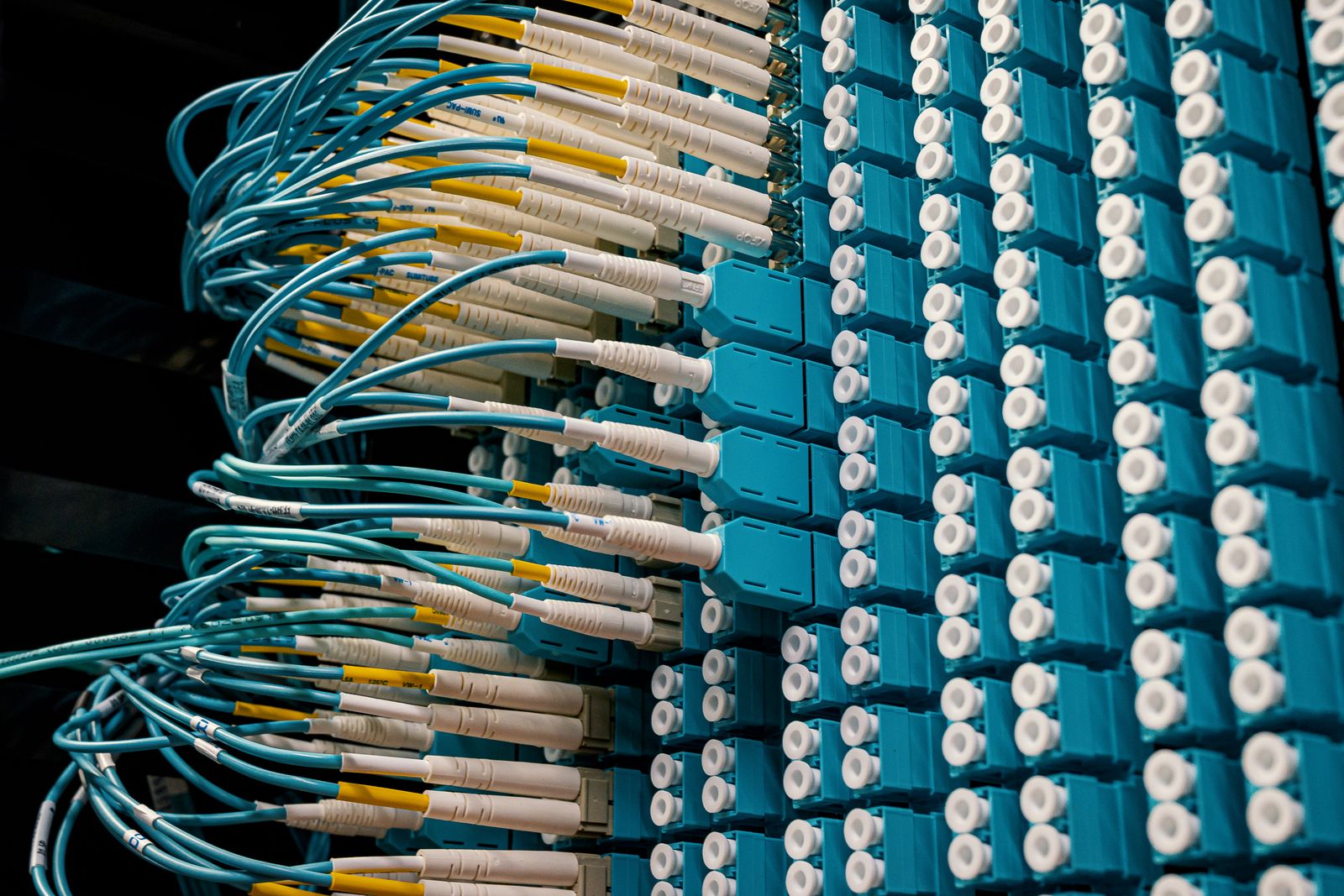
Fiber delivers data as light through glass, which means it is fast in both directions and far less sensitive to weather, heat, and electrical noise than copper. The big advantage for a business is symmetrical speed: a 500 Mbps fiber plan gives you 500 Mbps up as well as down. That matters enormously if you push backups off-site, host video calls, run cloud phones, or upload camera footage. Fiber build-out across Central Florida has expanded fast over the last few years, so an address that had no option in 2020 may well have two providers now. Always check availability again before you assume you are stuck.
2. Cable Is Cheaper, but the Upload Speed Is the Catch
Cable internet is widely available and usually costs less per month, and for a small office that mostly browses and emails it can be perfectly adequate. The problem is that cable is heavily asymmetrical. A plan advertised at 500 Mbps down may only give you 20 Mbps up, and that upload lane is exactly where video calls, cloud backups, and VoIP phone calls live. When staff complain that calls break up in the afternoon or that meetings freeze, a saturated upload lane is very often the culprit. If cable is your only realistic option, buy more than you think you need and pay close attention to the upload number.
3. Size the Plan Around People and Workloads, Not the Ad
Bandwidth is not about square footage, it is about what your people actually do. A ten-person office doing email, browsing, and a few cloud apps is comfortable on 300 to 500 Mbps. Add a full phone system, a dozen security cameras uploading to the cloud, and nightly off-site backups, and you want fiber with real upload capacity behind it. A useful rule: plan roughly 5 Mbps up per simultaneous video caller, then add headroom for backups and cameras. Guessing low is the single most common mistake we correct, and it usually shows up as “the internet is slow” complaints that have nothing to do with the computers.
4. A Business Plan Buys You More Than Speed
The real difference between a residential and a business account is what happens when something breaks. Business plans typically come with a service level agreement, a priority support queue, faster repair windows, and the option of a static IP address, which you need for remote access, some VPNs, on-site servers, and certain camera or point-of-sale systems. Residential support may tell you a technician can come Thursday. That is a fine answer for a household and a terrible answer for a shop that cannot run cards. You are not paying extra for bits, you are paying for the response time.
5. Every Business Needs a Second Way Out
This is the part almost everyone skips. Fiber cuts happen. A contractor puts a backhoe through a line, a storm takes out a node, or the provider has a regional outage, and you are dark for six hours. The fix is failover: a business-class router with a second connection, usually a cellular modem or a secondary provider, that takes over automatically within seconds. Staff barely notice. For most small offices the cost is modest, often less than the revenue lost in one bad afternoon. If your business takes payments, answers phones, or books appointments online, treat a backup connection as required equipment, not a luxury.
6. Central Florida Weather Is Part of the Equation
We sit in the lightning capital of the country, and summer storms take out power and internet regularly. Two practical steps make a real difference. First, put your modem, router, switch, and phone equipment on a proper battery backup so a brief flicker does not knock the network offline for ten minutes while everything reboots. Second, remember that a fiber connection still needs power at your building, so battery backup and internet failover work together. We cover the power side in more depth in our guide to surge protection and UPS systems.
7. The Fastest Plan Cannot Fix Bad Wiring
We see this constantly. A business upgrades to gigabit fiber, sees no improvement, and blames the provider. The bottleneck was inside the building all along: aging cable, a consumer router meant for an apartment, an unmanaged switch daisy-chained three deep, or Wi-Fi access points in the wrong places. Your connection is only as good as the network it feeds. Before you pay for a bigger plan, make sure the cabling and equipment inside your walls can actually deliver it.
The Bottom Line
Pick fiber when you can get it, buy a business-class plan for the support and the static IP, size the bandwidth around your real workloads instead of the advertised headline, and add automatic failover so one cut line does not close you for the day. Those four decisions cost very little more per month than the setup most small businesses already have, and they eliminate the majority of the “everything is down” calls we take. If you are not sure what you are currently paying for, pull your last bill and look at the upload speed. That number tells the story.
Is your internet holding your business back, or leaving you exposed to the next outage? Think Tech Support designs, installs, and supports business networks with the right connection, the right equipment, and automatic failover for businesses across Central Florida. Call us at (423) 486-6711 or reach out through our contact page for a free quote.


