
Smart Home Tech for Central Florida Vacation Rentals: Fewer Guest Calls, Fewer Headaches
Short term rentals are a real business, and the technology inside the house decides how much of your week that business eats. Every lockbox that jams, ...
Short term rentals are a real business, and the technology inside the house decides how much of your week that business eats. Every lockbox that jams, every router that needs a reboot, and every thermostat a guest cranks down to 65 degrees turns into a phone call, a drive across town, or a two star review. The owners who run smooth, profitable rentals are not working harder. They have simply put the right hardware in place so the house handles routine problems on its own.
Central Florida is one of the busiest vacation rental markets in the country, and we help owners and property managers across Orlando, Lake County, Clermont, Winter Garden, Mount Dora, Eustis, Tavares, and Apopka set up homes that mostly run themselves. Below are the systems that actually pay for themselves, and the mistakes that cost owners the most money.
1. Keyless Entry Is the Single Biggest Upgrade You Can Make
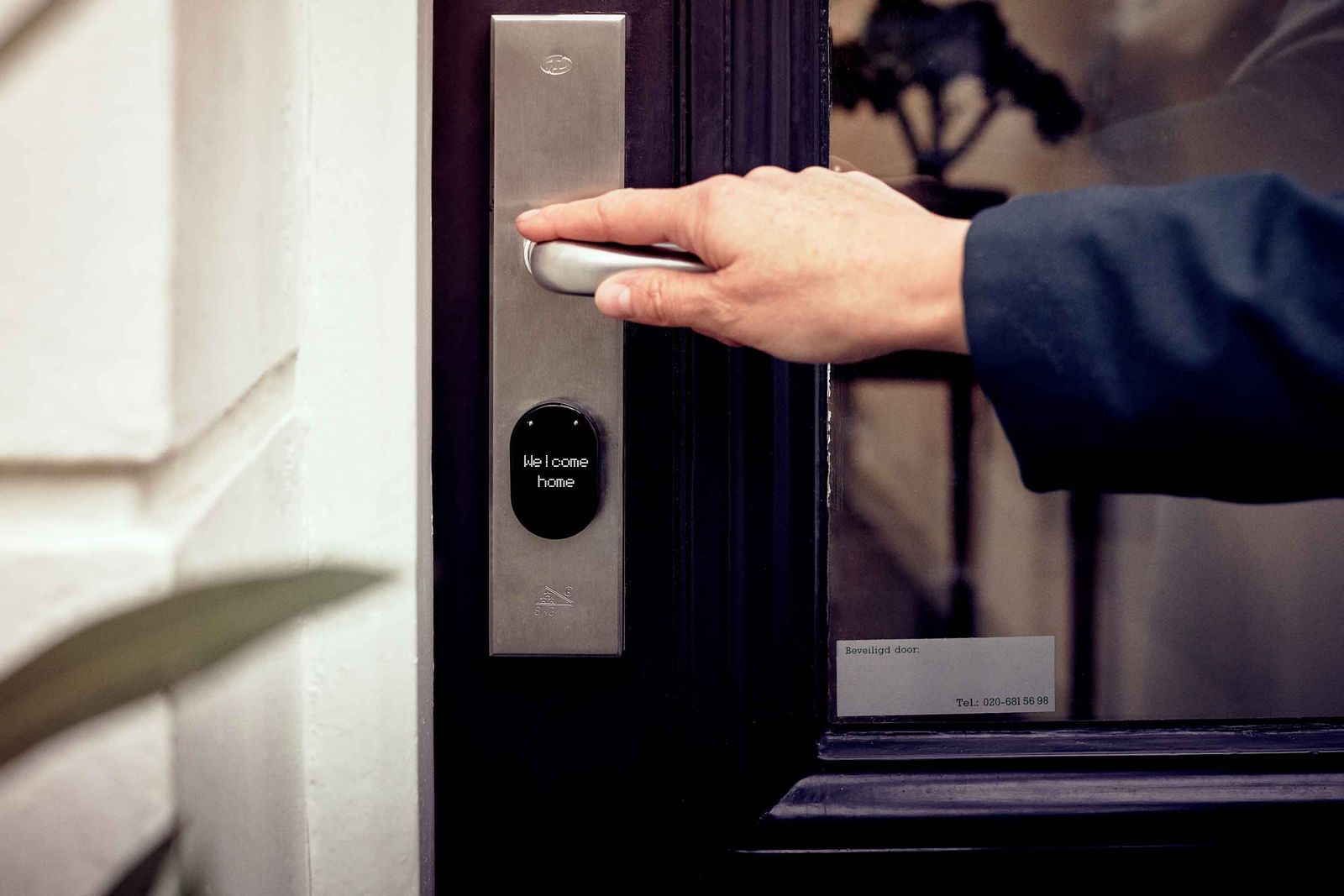
A smart lock with a keypad ends the two most common guest emergencies at once: the lockbox that will not open and the key that never made it back. Give every booking its own code, set it to activate at check in and expire at checkout, and you never think about it again. Codes for your cleaner and your handyman can be permanent and separate, so you always know who entered and when. Choose a lock with a physical key override and a real battery warning, then replace the batteries on a schedule instead of waiting for a guest to be locked out at midnight. If you manage several properties, look for a lock platform that pushes codes to every door from one dashboard rather than making you log into each house individually. We cover the commercial version of this in our guide to smart locks and access control, and the same logic applies to rentals.
2. Wi-Fi Is Your Most Reviewed Amenity, So Treat It Like One
Guests will forgive a scuffed wall. They will not forgive buffering. Most rental Wi-Fi complaints trace back to the same thing: one consumer router sitting in a closet, trying to cover a two story house with block walls and a pool deck. The fix is a proper mesh system with hardwired access points where possible, placed for coverage of the bedrooms, the lanai, and the game room, not just the living room. Use a simple network name and password and print them on the welcome card. Just as important, put your own devices on a separate network. A guest should never be able to see your cameras, your smart hub, or your printer from their laptop, which is exactly what our post on guest network separation walks through.
3. Cameras: Know the Rules Before You Mount Anything
Exterior cameras are your friend. A doorbell camera at the front entry and a camera covering the driveway tell you when guests arrive, when the cleaner shows up, and whether the party you were promised would not happen is currently happening. Interior cameras are a different story. Major booking platforms now prohibit indoor cameras entirely, and a hidden recording device inside a rental creates serious legal exposure. Keep every camera outside, disclose them in your listing, avoid pointing them at a neighbor’s yard or at a pool area where guests expect privacy, and store the footage somewhere you control. We install and configure professional camera systems that record locally and stay accessible from your phone.
4. A Smart Thermostat Protects the House When Nobody Is In It
Florida cooling bills are brutal, and a guest who sets the air to 64 degrees for a week can wipe out the profit on a booking. A smart thermostat with a locked temperature range solves that quietly. Set a floor and a ceiling, let guests adjust inside that window, and schedule the system to drift back to an efficient setting on vacant days. The real benefit shows up between bookings: a thermostat that reports humidity will tell you when the house is climbing toward mold territory because the air handler stopped running. That one alert is worth more than the energy savings, and the savings are already significant.
5. Leak and Noise Sensors Catch the Expensive Problems Early
The two events that ruin a rental season are water damage and a party that draws the neighbors and the sheriff. Both are preventable with cheap sensors. Put water detectors under every sink, behind the washer, near the water heater, and by the air handler drain pan, since a clogged condensate line is one of the most common causes of ceiling damage in Central Florida homes. For noise, use a decibel monitor that reports sound levels only, with no recording of conversations. It alerts you when a house gets loud so you can send a polite text before things escalate. A twenty dollar sensor that catches a slow leak on a Tuesday saves you a five figure remediation bill on Friday.
6. Put Everything on One Account That You Own
This is the mistake we get called to fix most often. A former property manager set up the locks, a handyman added the cameras under his own email, and the thermostat is tied to an account nobody can log into anymore. When that person leaves, you lose control of your own house. Create one dedicated email address for the property, register every device under it, turn on multi factor authentication, and store the credentials in a password manager you control. Grant your manager and cleaner access as separate sub users you can revoke in ten seconds. Do this on day one and you will never have to factory reset a wall of devices just to get back in.
7. Build It for the Florida Environment, Not the Catalog Photo
Heat, humidity, and lightning are hard on electronics. Outdoor cameras and access points need real weather ratings and some shade, not a sunny spot on a south facing wall. Every hub, router, modem, and recorder belongs behind a quality surge protector or a small battery backup, because an afternoon storm that drops power for six seconds is enough to knock a router offline and leave your guests without internet until someone drives over. Hardwire what you can, since a wired camera or access point will outlast a battery powered one by years in this climate.
The Bottom Line
Smart home technology in a vacation rental is not about gadgets, it is about removing the reasons a guest needs to call you. Keyless entry, dependable Wi-Fi, exterior cameras, a controlled thermostat, and a handful of sensors will cut your interruptions dramatically and protect the property between bookings. Set it up once, under accounts you own, with hardware built for Florida, and the house starts doing the work for you. If you would rather hand the whole project to someone else, that is what our service team is for.
Tired of driving across the county every time a lock or a router acts up? Think Tech Support designs, installs, and supports smart home and network systems for vacation rentals and businesses across Central Florida. Call us at (423) 486-6711 or reach out through our contact page for a free quote.


