
Slow Wi-Fi, Random Dropouts, Mystery Outages: What Small Business Network Support Should Actually Cover
Most owners only think about their network when it stops working. The card reader times out, the phones go robotic, a video call freezes mid-sentence, and ...
Most owners only think about their network when it stops working. The card reader times out, the phones go robotic, a video call freezes mid-sentence, and somebody reboots the router for the third time this week. Good small business network support exists so those moments become rare, short, and explained, instead of a daily guessing game that eats into everyone’s time.
At Think Tech Support, we help businesses across Orlando, Lake County, Leesburg, The Villages, Clermont, Mount Dora, Eustis, and Tavares keep their offices connected. Below is what real network support should include, what warning signs mean you are overdue for help, and how to tell whether the provider you have (or are considering) is doing the job or just answering the phone when things break.
1. It Starts With Knowing What You Actually Have
You cannot support a network nobody has mapped. The first thing a competent provider does is build an inventory: the modem, the firewall or router, every switch, every wireless access point, the printers, the cameras, and the cables that tie them together. They should also record who owns the passwords, which ports are open, and which internet plan you are paying for. We routinely walk into offices where the only person who knew the router login left two years ago. That single gap turns a ten-minute fix into a half-day outage. If your current provider cannot hand you a simple network diagram and a list of admin credentials stored securely in your name, that is the first problem to solve.
2. Monitoring That Catches Problems Before Your Staff Does
The biggest difference between real small business network support and break-fix help is monitoring. A managed network sends alerts when a switch goes offline, when internet latency spikes, when a firewall stops getting updates, or when a backup link kicks in. That means your provider often knows about a problem before anyone in the office notices. It also creates a history, so when someone says “the internet has been slow every afternoon,” there is data to look at instead of a shrug. This kind of proactive watching is a core part of our managed IT services, and it is usually far cheaper than the lost hours it prevents.
3. Wi-Fi Designed for Your Building, Not Just Plugged In
Most slow Wi-Fi complaints are not about the internet plan at all. They come from one consumer router trying to cover an entire office, access points stuck on crowded channels, or metal shelving and block walls swallowing the signal. Florida construction is tough on wireless: stucco over block, steel framing in strip centers, and long single-story layouts all create dead zones. Good support means placing business-grade access points where people actually work, tuning channels and power levels, and separating staff, guest, and device traffic. If certain corners of your office always struggle, our guide to fixing Wi-Fi dead spots walks through the usual culprits.
4. Cabling, Switches, and the Unglamorous Middle
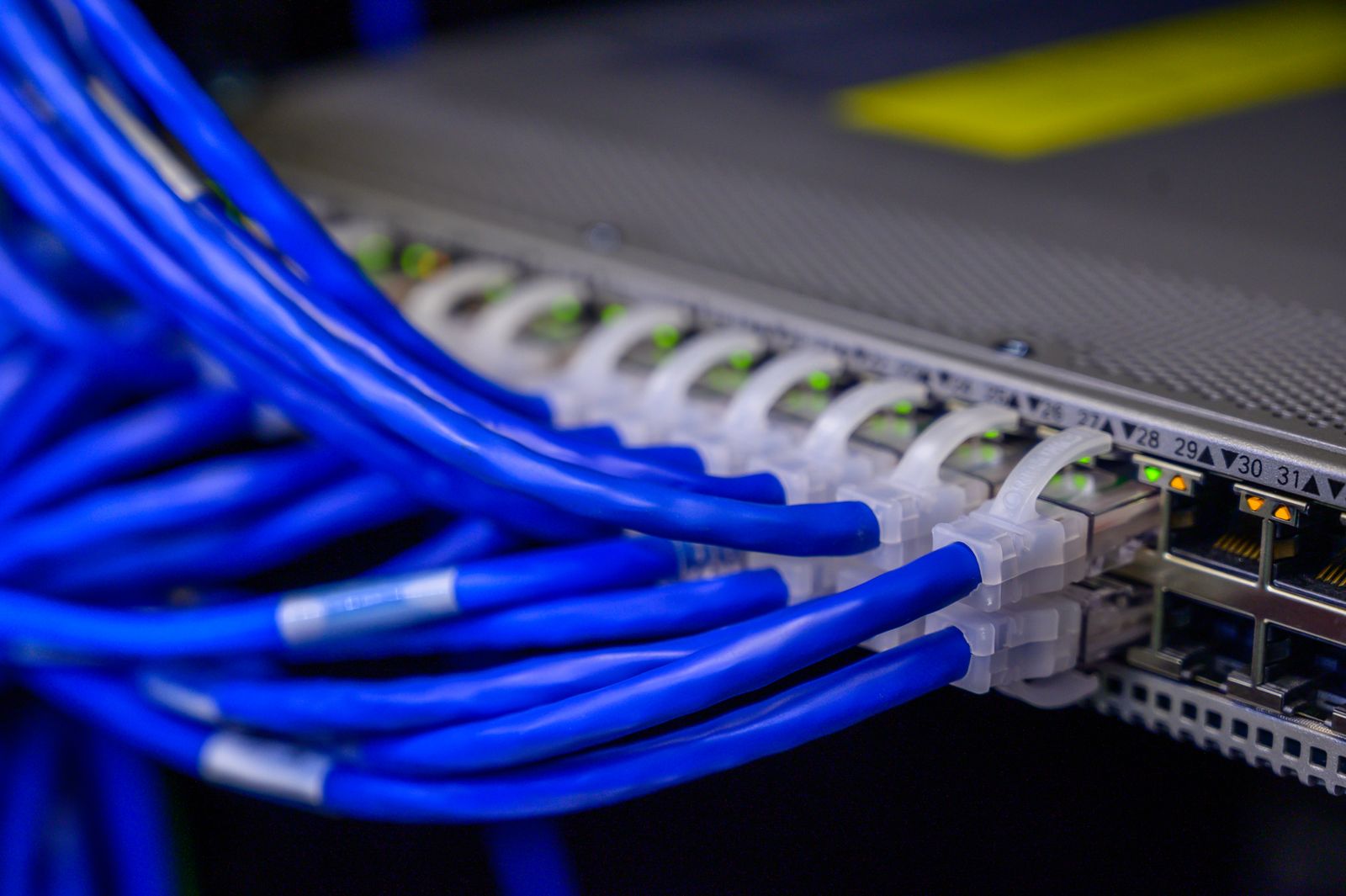
Between the internet line and your desks sits the part of the network nobody looks at: the closet. Tangled patch cables, a cheap unmanaged switch from a big-box store, and a power strip on the floor are behind a surprising number of “random” outages. One failing cable can drop a whole department, and an overheating switch in a closet with no airflow can reboot itself every afternoon when the building warms up. Solid support includes labeling, replacing bad runs, moving to managed switches that report errors, and keeping network gear on a battery backup. For offices that are growing or moving, it is worth reading up on structured network cabling before the walls close up.
5. Security Built Into the Network, Not Bolted On
Your network is the front door for every cyberattack. Network support should cover a properly configured business firewall with current firmware, separate networks so a guest phone or smart TV cannot see your accounting PC, strong Wi-Fi encryption, and remote access through a VPN instead of open ports. It should also include regular reviews: who still has access, what devices are connected, and what changed since last month. Many small offices we audit have a firewall that has not been updated in years and port forwarding rules nobody can explain. Each one of those is an invitation.
6. A Plan for When the Internet Goes Down
Central Florida gets afternoon storms most of the year, and a single lightning strike or a utility crew cutting a line can knock out service for hours. If your phones, card processing, and cloud software all depend on one internet connection, an outage stops the business cold. Good network support includes a failover plan: a second internet line or a cellular backup that switches over automatically, plus surge protection on the modem and networking gear. For many offices around Leesburg and The Villages, where a single provider dominates some streets, a cellular backup is the most affordable way to stay open when the main line drops.
7. Clear Answers, Documentation, and Someone Who Picks Up
Finally, support is only as good as the communication around it. You should know who to call, how fast they respond, and what you are paying for. After every meaningful change, the documentation should be updated so the next technician (or the next provider) is not starting from zero. Ask for a short monthly or quarterly summary: alerts handled, updates applied, and anything that needs a budget decision soon. If you only hear from your IT person when an invoice arrives, you are not getting network support. You are getting emergency repair at premium rates.
The Bottom Line
A reliable network is not about buying the most expensive router. It is about knowing what you have, watching it continuously, fixing the weak spots before they fail, and having a plan for the days when the internet itself goes away. For most small offices, that work costs less per month than a single bad afternoon of downtime. If your team has started treating dropped connections as normal, that is the sign it is time for proper small business network support.
Tired of rebooting the router and hoping for the best? Think Tech Support designs, monitors, and supports reliable office networks for businesses across Central Florida. Call us at (423) 486-6711 or reach out through our contact page for a free quote.


