
IT Support for Dental Offices in Central Florida: HIPAA, Uptime, and the Front Desk
When a dental practice loses its network, it does not just lose email. The schedule disappears, the sensors stop talking to the imaging software, and the ...
When a dental practice loses its network, it does not just lose email. The schedule disappears, the sensors stop talking to the imaging software, and the front desk is left apologizing to a waiting room full of people who took time off work to be there. That is why IT support for dental offices is a genuinely different job than supporting a regular office. Every hour of downtime has a chair, a hygienist, and a day of production attached to it.
We hear the same story from practices all over the region, and we help businesses across Orlando, Lake County, Clermont, Mount Dora, Eustis, Tavares, and Apopka keep their systems steady. Dental offices are one of the more demanding environments we work in, because they combine specialized software, expensive imaging hardware, protected patient data, and a schedule with no room to sit and wait. Here is what actually matters when you are deciding who supports your practice.
1. Why IT Support for Dental Offices Is Not Regular Office IT
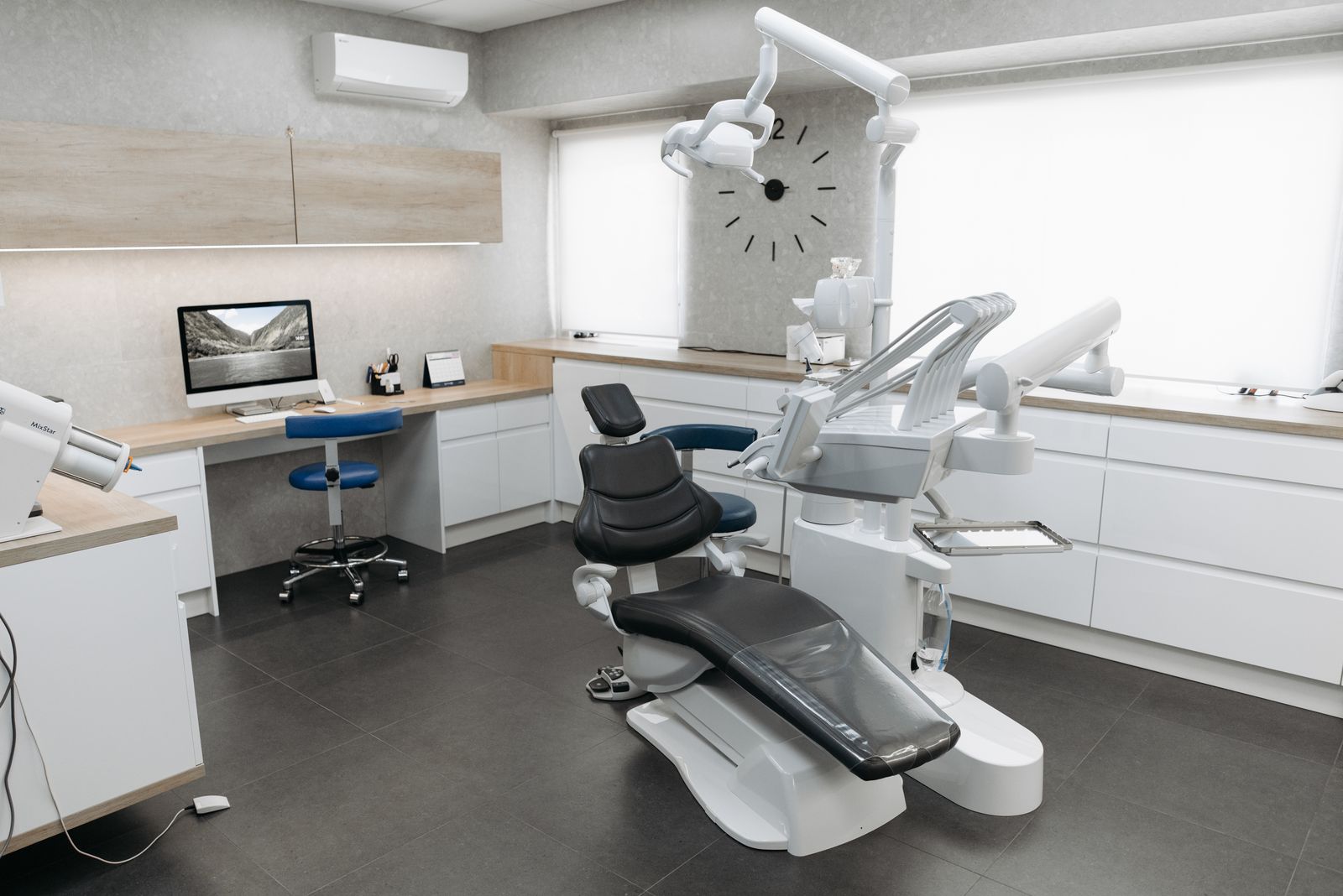
A typical small business can limp along on a laptop and a phone hotspot for a day. A dental practice cannot. Your operatories depend on sensors, intraoral cameras, and panoramic units wired to specific workstations, often with drivers that only behave on one particular version of Windows. Add a server running your practice management database, a bridge to the imaging software, and integrations for insurance claims and patient reminders, and you have a stack that behaves more like a small clinic network than a simple office. Generic IT support treats all of that like ordinary PCs, and that is exactly how practices end up with a dead operatory at 8:15 on a Monday morning.
2. HIPAA Is a Set of Habits, Not a Product You Buy
No vendor can sell you compliance in a box. HIPAA asks you to do specific things and to be able to prove you did them: encrypt data at rest and in transit, control who can see what, keep audit logs, train your staff, and maintain a written risk analysis you actually revisit. The risk analysis is the piece most small practices skip, and it is usually the first document an auditor asks for. It also means any company that touches your patient data should sign a Business Associate Agreement. If a prospective IT provider will not sign a BAA, that answer tells you everything you need to know about how seriously they take your obligations.
3. Your Practice Management Software Deserves a Real Owner
Whether you run Dentrix, Eaglesoft, Open Dental, or a cloud based platform, the software vendor supports the software. They do not support your server, your network, your workstations, or the dozen things sitting between them. Someone has to own the database backups, the operating system updates, the workstation images, and the annual upgrade that always seems to break one printer or one sensor. A good provider coordinates with your software vendor instead of pointing at them when something goes sideways. Ask anyone you are considering whether they have hands on experience with your specific practice management system. If the answer is vague, keep looking. Our managed IT services are built around taking that ownership off your plate.
4. Backups That Can Actually Bring a Practice Back
Most practices have some kind of backup. Far fewer have a backup anyone has ever tested. Patient records and years of radiographs are not files you can recreate from memory, so the real question is not whether a copy exists, it is how quickly you can be seeing patients again after something goes wrong. That means a local copy for speed, an encrypted off-site copy for real disasters, and a restore test on an actual schedule instead of a hopeful assumption. Our guide to the 3-2-1 backup rule walks through how to structure it. In Florida there is a second reason to take this seriously: hurricane season and lightning strikes take out more practice servers every year than hackers do.
5. The Front Desk Is Where Most Trouble Starts
Attackers rarely fight their way through a firewall to get into a dental office. They email the front desk a fake insurance remittance or a resume with an attachment, and someone opens it, because opening things people send you is literally the job. The defenses are unglamorous and they work: multi-factor authentication on email, a password manager instead of a sticky note under the keyboard, a separate login for every staff member so your audit logs actually mean something, and fifteen minutes of refresher training a few times a year. If something does slip through, knowing what to do in the first 24 hours is often the difference between a bad afternoon and a reportable breach.
6. What IT Support for Dental Offices Costs in Central Florida
Most local practices land somewhere between roughly 800 and 2,500 dollars a month for a full managed plan. The range depends on how many operatories and workstations you run, how many staff need help, and whether you are hosting an on-site server or living entirely in a cloud platform. That kind of plan typically covers monitoring, patching, endpoint security, backup management, unlimited helpdesk for your team, and a set amount of on-site time. Hourly break/fix work looks cheaper right up until the first real outage, when you are paying emergency rates and losing a full day of production at the same moment. Compare providers on what is actually included, not just on the monthly number.
7. Plan Hardware Replacement Before It Plans Itself
The workstation in operatory three is usually the oldest machine in the building, because nobody wants to touch anything that currently works. That is understandable, and it is also how practices end up replacing four computers in a panic during the same week. A simple refresh schedule, roughly four to five years per workstation and a hard deadline tied to Windows support dates, turns an emergency into a line item you can budget for. The same applies to your firewall, your switches, and the battery backups protecting the server, which quietly wear out every three years or so.
The Bottom Line
Your practice runs on technology whether you think of it that way or not. The offices that stay calm during a bad morning are the ones with a provider who knows dental software, keeps the backups honest, takes HIPAA seriously enough to document it, and answers the phone when an operatory goes dark. You do not need the largest IT company in Florida. You need one that understands what a full schedule costs when the network is down.
Tired of explaining your practice management software to an IT company that has never seen it? Think Tech Support provides managed IT, HIPAA aware security, and tested backup services for dental and medical practices across Central Florida. Call us at (423) 486-6711 or reach out through our contact page for a free quote.


