
Data Recovery in Orlando: What It Costs and When Your Files Can Actually Be Saved
Nobody goes looking for data recovery in Orlando on a good day. You go looking for it at 9pm on a Tuesday, after the laptop with ...
Nobody goes looking for data recovery in Orlando on a good day. You go looking for it at 9pm on a Tuesday, after the laptop with seven years of client files started making a clicking noise and will not boot. The panic is real, and so is the pile of confusing information you find online: some companies quote fifty dollars, others quote three thousand, and half of them will not tell you anything until you ship them the drive. Here is the honest version.
Think Tech Support helps businesses and homeowners across Orlando, Lake County, Clermont, Mount Dora, Eustis, Tavares, and Apopka figure out what actually happened to a failed drive and what it will realistically take to get the files back. Sometimes the answer is a twenty minute fix. Sometimes it is a specialist cleanroom and a serious invoice. The important thing is knowing which situation you are in before you spend money or make the damage permanent.
1. What Data Recovery Really Means
Data recovery is the process of pulling files off storage that no longer works the way it should. That covers a lot of ground: a hard drive that spins but is not recognized, an SSD that vanished from the BIOS, a phone that took a swim, a RAID array where two disks dropped out at once, or a server volume that got wiped by a bad update. It is not the same thing as restoring from a backup. Restoring is cheap and boring and takes an afternoon. Recovery is what you pay for when the backup does not exist.
2. Logical Failure vs Physical Failure
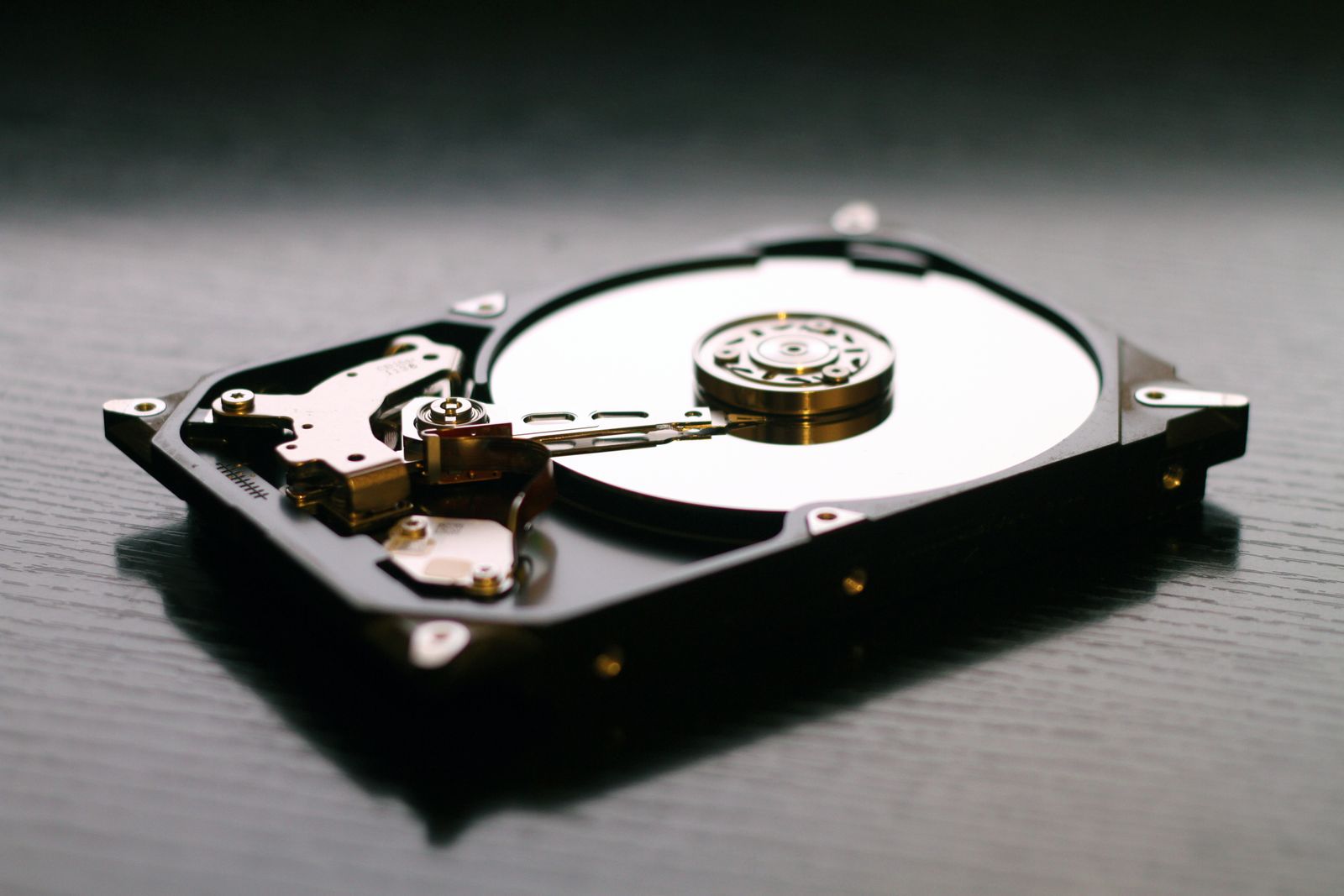
Almost every case falls into one of two buckets, and the bucket decides the price. A logical failure means the hardware is fine but the data structure is broken: a corrupted partition table, a formatted volume, deleted files, a failed Windows update, or ransomware encryption. The drive still reads. A physical failure means something inside actually broke: seized bearings, crashed read heads, a fried controller board, or burned flash chips on an SSD. If your drive is clicking, beeping, grinding, or not spinning at all, you are in the physical category, and no software you download is going to help.
3. How Much Does Data Recovery in Orlando Cost?
Real numbers, because the vagueness online is maddening. Logical recovery from a healthy drive typically runs a few hundred dollars, often in the $150 to $500 range depending on how much data there is and how badly the file system is scrambled. Physical recovery requiring a cleanroom, donor parts, and platter work is a different animal: expect $700 on the low end and $1,500 to $3,000 or more for complex cases, RAID arrays, or SSDs that need chip-off work. Anyone quoting you a firm price for a physical failure before they have opened the drive is guessing. What you should get up front is a free evaluation and a written quote, plus a clear no-data-no-fee policy so you are not paying for a failed attempt.
4. Stop Doing These Things Right Now
This section saves more data than any other. Power the drive off and leave it off. Every extra minute a drive with crashed heads keeps spinning is more of your data being physically scraped off the platters. Do not run repair utilities like chkdsk on a failing drive, because they write to the disk and can turn a recoverable mess into an unrecoverable one. Do not put it in the freezer, which is an internet myth that adds condensation damage to your existing problem. Do not open the drive yourself: household dust particles are larger than the gap between the head and the platter. And if you deleted files by accident, stop using that computer immediately, because normal background activity will overwrite the very sectors you are trying to save.
5. What the Recovery Process Actually Looks Like
A legitimate shop follows a predictable path. First comes an evaluation to determine whether the failure is logical or physical and how much of the data is likely intact. Then you get a quote and decide, with no obligation. If you proceed, the technician works from a sector by sector clone of your drive rather than the original, so the fragile media is only read once and every recovery attempt happens on the copy. Finally, you get a file listing to verify your important documents are actually there before you pay, and the recovered data comes back to you on a fresh external drive. If a company skips the cloning step or refuses to show you a file list first, walk away.
6. Business Data Loss Is a Downtime Problem, Not Just a File Problem
For a business, the recovered files are only half the story. The other half is the days you spent not invoicing, not scheduling, and not serving customers while the server sat in pieces. That is why our data backup and disaster recovery work focuses on getting you operational fast, often on temporary hardware, while the recovery runs in parallel. If a single failed drive can stop your company from taking money, the drive is not really your problem. The lack of a tested restore path is.
7. The Cheapest Data Recovery Is the One You Never Need
A $2,000 cleanroom recovery buys you a copy of files that a $15 per month backup would have handed you in twenty minutes. Every drive on your desk is going to fail eventually, and SSDs fail more suddenly and with less warning than the old spinning disks did. Follow the 3-2-1 backup rule, then actually test a restore twice a year, because an untested backup is a rumor. Businesses on a managed IT plan get that monitoring built in, so a drive throwing early warnings gets replaced on a Tuesday afternoon instead of dying on a Friday night.
The Bottom Line
If your drive is clicking or will not mount, unplug it and get a real evaluation before you try anything else. Logical failures are usually a few hundred dollars, physical failures run into the thousands, and the single biggest factor in what you pay is what you do in the first hour. Local matters here too: handing a drive to a person you can drive to and call beats mailing your business records to an anonymous address and hoping. And once your files are back, spend a fraction of what the recovery cost on a backup that makes sure you never do this again.
Is your hard drive clicking, missing, or refusing to boot? Think Tech Support evaluates failed drives and gets your data and your operations back online for businesses and homeowners across Central Florida. Call us at (423) 486-6711 or reach out through our contact page for a free quote.


