Email Account Hacked? What to Do Right Now, in Order, Before It Spreads
It usually starts with a text from a friend: “Did you just send me a weird link?” Or a pile of bounced messages you never wrote. ...
It usually starts with a text from a friend: “Did you just send me a weird link?” Or a pile of bounced messages you never wrote. If your email account was hacked, what to do in the first hour matters more than anything you do after. The attacker is often still inside, quietly reading, and every minute gives them more time to reset your other passwords, scam your contacts, or set up a back door so they can get back in after you change the password.
We clean up compromised email accounts for households and small businesses across Orlando, Lake County, Clermont, Mount Dora, Eustis, Tavares, Winter Garden, and Apopka, and the same mistakes come up again and again. Below is the order we actually work in. Follow it top to bottom, even if some steps feel like overkill. Skipping steps is how people end up hacked twice in the same month.
1. Change the Password From a Device You Trust
Do not reset your password from the computer you suspect is infected. If malware stole the password in the first place, it will happily steal the new one too. Use your phone on cellular data or a different computer, sign in, and change the password to something long and new that you have never used anywhere else. If you cannot get in because the attacker already changed the password, go straight to the provider’s official recovery page (Google, Microsoft, Yahoo, or Apple) and use the recovery phone number or backup email you set up. Then, still on that page, choose the option to sign out of all other sessions. Changing the password alone does not always kick out someone who is already logged in.
2. Check Forwarding Rules and Filters (the Step Everyone Misses)
This is the single most important check, and the one almost nobody does. Experienced attackers rarely just send spam and leave. They create a hidden rule that forwards a copy of every incoming email to an outside address, or a filter that automatically deletes messages containing words like “password,” “invoice,” or “security alert” so you never see the warning signs. In Gmail, look under Settings, then Forwarding and POP/IMAP, and Filters and Blocked Addresses. In Outlook, check Rules and Forwarding. Delete anything you did not create. A rule like this keeps feeding the attacker your mail long after you have changed the password.
3. Email Account Hacked: What to Do About Recovery Info and Connected Apps
Next, look at the account’s recovery phone number and backup email address. Attackers often swap these for their own so they can take the account back later with a simple “forgot password” request. Put your real details back. Then review the list of connected apps and devices (Google calls it “Third-party apps with account access,” Microsoft calls it “Apps and services”). Remove anything unfamiliar, and remove any device you do not recognize from the signed-in device list. While you are there, turn on multi-factor authentication using an authenticator app rather than text messages if you can. This one setting stops the vast majority of repeat break-ins.
4. Protect Every Account That Uses This Email
Your email inbox is the master key to your digital life. Bank accounts, Amazon, Facebook, your cell carrier, and your utility logins all send their password reset links there. If the attacker had access for even a day, assume they could have reset any of them. Start with the accounts that touch money: your bank, credit cards, PayPal, Venmo, and any store with a saved card. Change those passwords and check for recent changes you did not make. Then work through social media and everything else. If you reused your email password anywhere else, change it everywhere. Password reuse is how one hacked account turns into ten.
5. Warn Your Contacts Before the Scam Lands
Hacked email accounts are mostly used to scam the people who trust you. A message from your real address asking a friend to buy gift cards, or a “new bank details” email sent to a business client, is far more convincing than a random spam message. Send a short note from the cleaned-up account (or a text, for close contacts) saying your email was compromised and to ignore any unusual requests sent in the past few days. Check your Sent folder and Deleted Items to see exactly what went out, because attackers often delete the evidence. For businesses, this step matters even more: fake invoice and wire transfer scams almost always start from a real, hijacked mailbox.
6. Find Out How They Got In
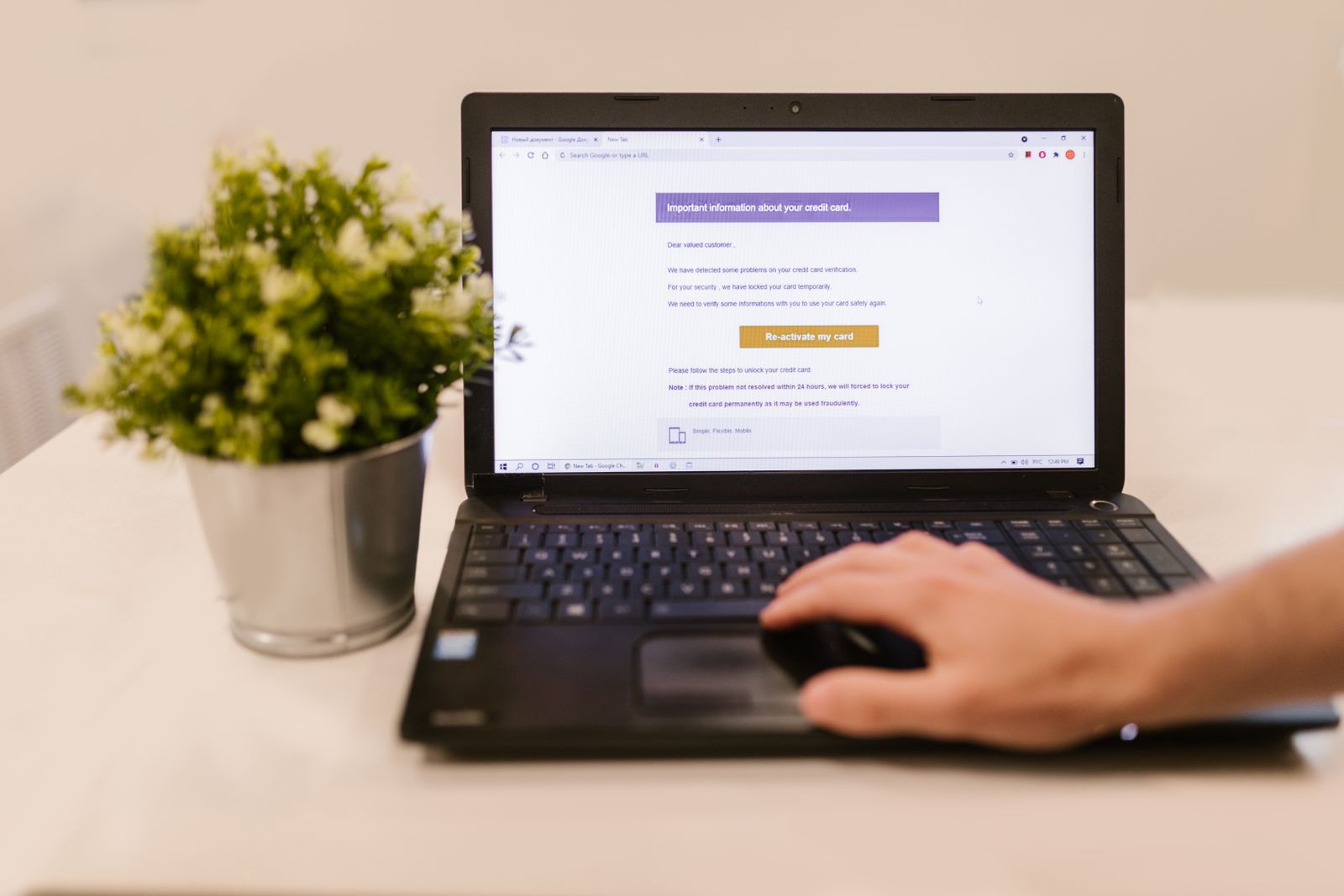
Changing the password fixes the symptom, not the cause. The three usual suspects are: a password that was leaked in some other company’s data breach and reused, a phishing page that looked like a normal login screen, or malware on a computer that recorded what you typed. If it was the first, a password manager and unique passwords solve it. If it was the second, think back to any “your mailbox is full” or “unusual sign-in” email you clicked recently. If it was the third, the computer needs a proper scan and cleanup before you sign in on it again. If you do not know which one it was, assume it could be malware and have the machine checked.
When to Call for Help
You can handle most of this yourself if you are comfortable digging through settings. Call a professional if you are locked out and the provider’s recovery is not working, if money has already left your bank account, if it is a business mailbox that clients and vendors rely on, or if this is the second time it has happened. A repeat hack almost always means a back door was missed, such as a forwarding rule, an app password, or malware that is still on a computer. We can usually walk through all of it remotely in a single session, and our residential tech support covers exactly this kind of cleanup for homes, not just businesses.
The Bottom Line
A hacked email account is fixable, but only if you close every door the attacker opened, not just the front one. Change the password from a clean device, sign out every session, delete rogue forwarding rules, fix your recovery info, turn on multi-factor authentication, and then protect every account tied to that inbox. Do it in that order and you will very likely never hear from that attacker again.
Not sure the hacker is really gone? Think Tech Support secures compromised email accounts, cleans infected computers, and sets up the protections that keep it from happening again for homes and businesses across Central Florida. Call us at (423) 486-6711 or reach out through our contact page for a free quote.