Computer Repair in Mount Dora FL: What It Costs, How Long It Takes, and When to Replace
When a computer quits in the middle of a workday, the question is never academic. You want to know three things right now: who can look ...
When a computer quits in the middle of a workday, the question is never academic. You want to know three things right now: who can look at it today, what it is going to cost, and whether the files on it are safe. If you are searching for computer repair in Mount Dora FL, this is a straight answer to all three, written by the people who actually do the work rather than a shop trying to get you in the door.
Think Tech Support handles repairs, upgrades, and data rescue for homes and small businesses across Orlando, Lake County, Clermont, Mount Dora, Eustis, Tavares, and Apopka. We see the same handful of failures over and over in this part of the state, and the honest truth is that most of them are fixable for a fraction of what a new machine would cost.
What Computer Repair in Mount Dora FL Usually Involves
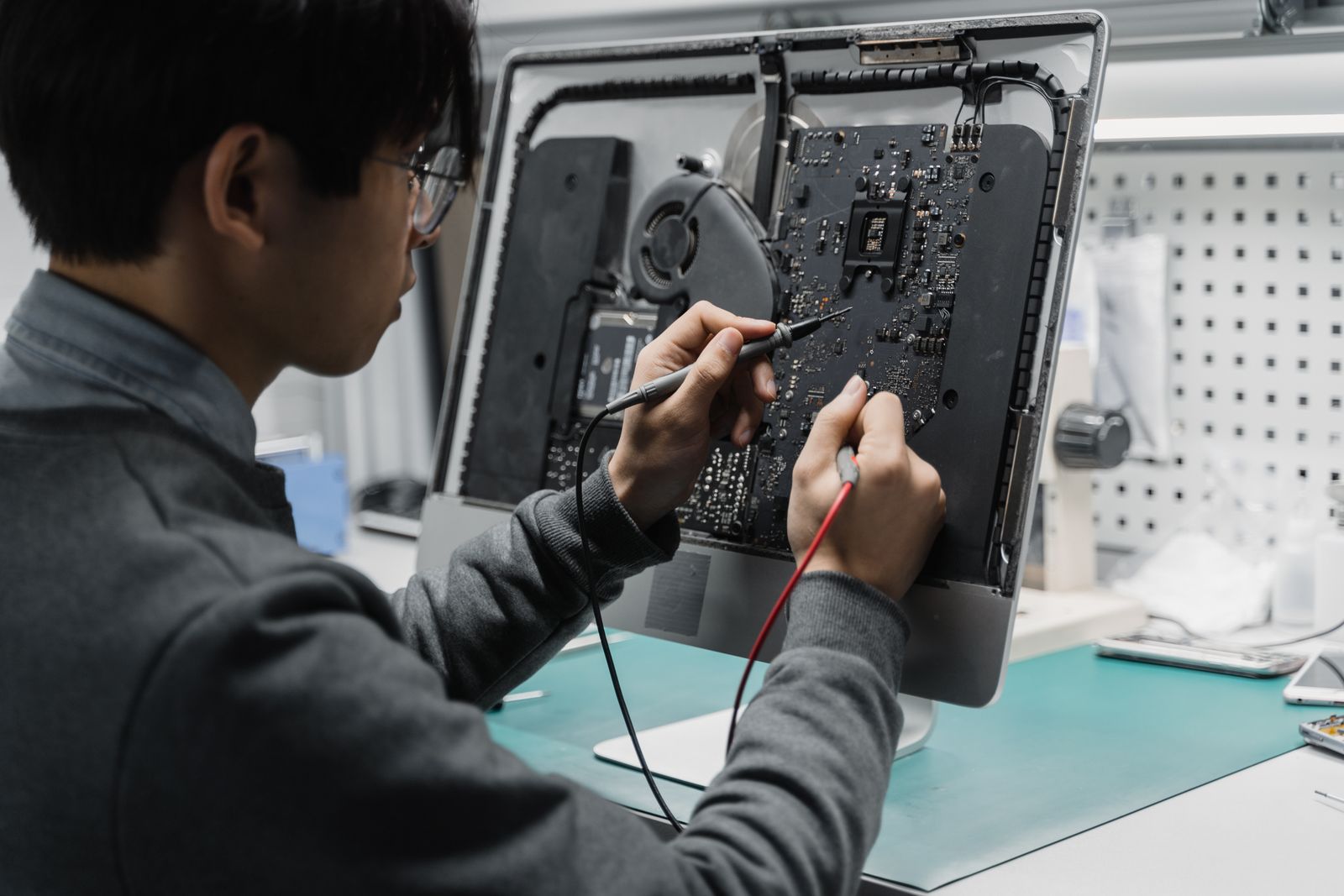
Good repair work starts with a diagnosis, not a guess. A machine that will not turn on could be a dead power supply, a failed drive, a swollen laptop battery, or a motherboard that took a lightning hit. Those are four very different repairs at four very different prices, and nobody can tell them apart from a phone description. A proper shop puts the machine on the bench, tests the components individually, and then tells you what is wrong and what the fix costs before any money is spent. If a shop quotes you a firm price sight unseen, be careful: they are either padding the number to cover the unknown or setting up a change order later.
The Failures We See Most Often in Lake County
Central Florida is hard on electronics, and it shows up in predictable ways. Heat and humidity kill fans and cause dust to cake into a felt-like layer that traps even more heat, which is why so many local machines shut themselves off under load. Summer storms are the other big one: a nearby strike can take out a power supply, a network port, or the whole board, often on a machine that was plugged into a cheap power strip rather than real surge protection and battery backup. Add aging mechanical hard drives and years of accumulated software clutter, and you have the short list behind most of the machines that land on our bench.
What Common Repairs Actually Cost
Prices vary with the machine and the parts, but here are realistic ranges so you can sanity check any quote you get. A diagnostic is typically a modest flat fee, and a good shop credits it toward the repair if you go ahead. Virus and malware cleanup with a tune-up generally lands in the low hundreds. Swapping a failed hard drive for an SSD, including moving your data over, is usually the best money anyone spends on an older computer and often costs less than a new budget laptop. Power supplies, fans, and RAM are inexpensive parts with modest labor. Laptop screens and keyboards cost more because the part itself is pricey. True data recovery from a physically failed drive is the outlier and can run into serious money, which is the whole argument for backing up first.
How Long You Should Expect to Be Without It
Software problems (malware, a corrupted update, a system that will not boot into Windows) are frequently same day or next day, because nothing has to be ordered. Hardware repairs depend entirely on parts. Common items like drives, memory, and power supplies are usually on hand or one day out. Model-specific laptop parts such as screens, hinges, and keyboards can add two to four days of shipping. If the machine is critical to your business, say so up front and ask about a loaner or a temporary setup, and ask whether remote support can keep you working in the meantime. Plenty of what breaks never needs a bench at all.
When a Repair Stops Making Sense
There is a point where fixing the old machine is throwing good money after bad. Our rule of thumb: if the repair costs more than half of what a comparable new computer would, and the machine is already five or more years old, replace it. Two other hard stops are a failed motherboard on a consumer laptop and a machine that cannot run a currently supported version of Windows. We wrote a longer breakdown of that decision in our guide to repairing versus replacing business computers, but the principle is simple: spend the money where it buys you years, not months.
Protect Your Files Before You Hand Over the Machine
This is the part people skip and regret. Before any repair, you want a copy of your documents, photos, and business records somewhere other than the sick computer. If the machine still boots, copying to an external drive takes minutes. If it does not boot, a competent shop can usually pull the data off the drive as the first step of the job, and you should ask them to do exactly that before they attempt anything else. Also ask a plain question: who has access to my files while you have my computer, and what happens to the old drive if you replace it? A shop that cannot answer that clearly is not one to trust with your tax returns.
How to Choose a Repair Shop You Can Trust
Look for four things. First, a written quote after diagnosis, not a verbal ballpark that grows. Second, a clear diagnostic policy, including what happens if the machine turns out not to be worth fixing. Third, real local presence, because driving a computer to a counter you can find again matters when something is not right. Fourth, no reflexive upselling: a shop that recommends a 200 dollar SSD when that is genuinely the fix is being honest, and one that pushes a new machine on every visit is selling, not diagnosing. If the computer is a business machine, it is also worth asking whether they offer ongoing managed IT services, since the cheapest repair is the failure that gets caught early.
The Bottom Line
Most computers that come in “dead” are not dead. They have a failed drive, a clogged cooling system, a bad power supply, or a software mess, and all four are routine fixes. What you should insist on is a real diagnosis, a written price before the work starts, your data protected first, and an honest answer when the machine genuinely is not worth saving. That is the standard we hold ourselves to, and it is a fair one to hold any shop to.
Is your computer running slow, refusing to start, or making noises it never made before? Think Tech Support diagnoses and repairs desktops and laptops for homes and businesses across Central Florida, with clear pricing and your files protected first. Call us at (423) 486-6711 or reach out through our contact page for a free quote.